Acknowledge by reply
With acknowledgement by reply on, the operator who receives an alarm SMS can acknowledge the alarm by replying to it, without opening Ignition.
What you need
- A shortcode from Africa's Talking, entered as the profile's Sender ID. A sender ID can only send: replies only reach Arifa through a shortcode. See Africa's Talking setup.
- On the profile, Allow Acknowledgement by SMS Reply turned on, and the Reply Keyword set. See Profile settings.
How it works
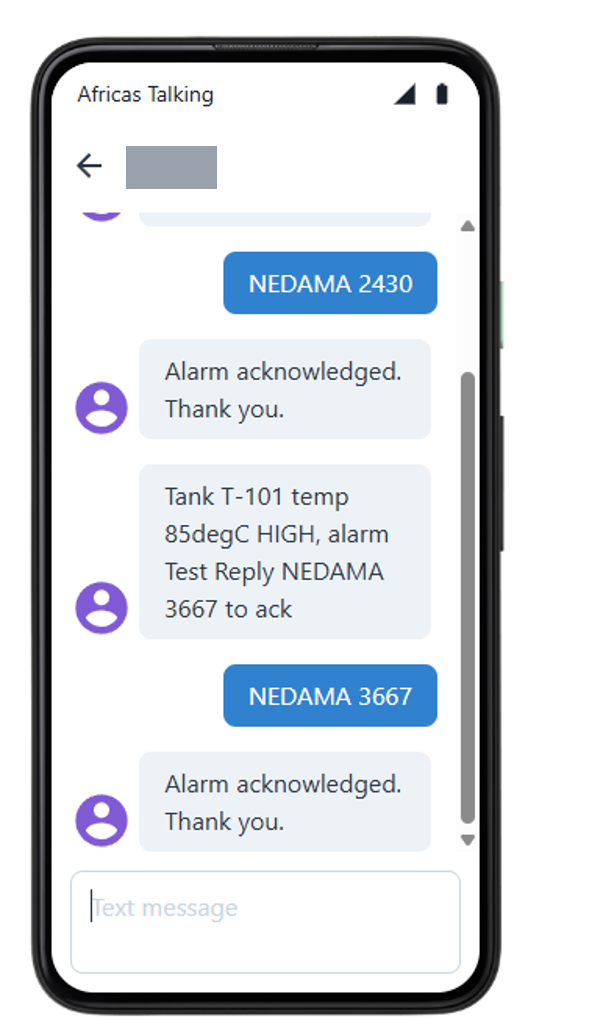
- When Arifa sends an alarm SMS, it makes a random four-digit code for it, and ends the message with a line such as
Reply NEDAMA 4821 to ack. - The operator replies
NEDAMA 4821. - While a code is waiting, Arifa asks Africa's Talking for new replies every few seconds (Check for Replies Every, 10 seconds by default). When no code is waiting, it asks nothing. The gateway opens no port and accepts no inbound connection.
- Arifa checks the reply, and acknowledges in Ignition every alarm in that SMS, as the user the SMS was sent to.
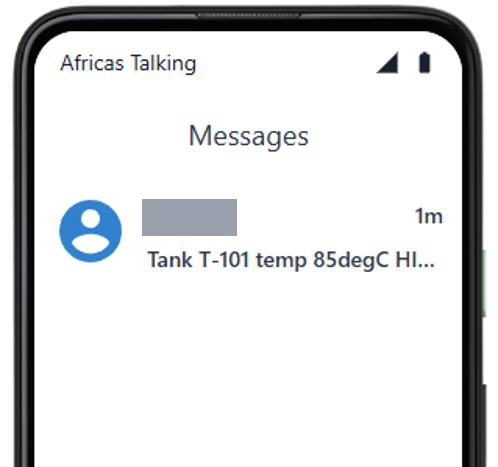
What the operator types
The reply is the keyword, then the four-digit code. It is not case sensitive, and a space, colon or dash between the two is fine:
NEDAMA 4821,nedama4821orNedama: 4821;ACK 4821, which works whatever the keyword;4821on its own.
Nothing may follow the code. A reply with extra words, such as NEDAMA 4821 on my way, is ignored, so that a stray message never acknowledges an alarm.
The keyword
The Reply Keyword is the word the operator types before the code: letters only, up to 12. On a shared shortcode, it must be the keyword registered with Africa's Talking.
A single - means no keyword, for example on a dedicated shortcode. The SMS then ends Reply 4821 to ack, and the operator replies with just the code.
What is checked
A reply acknowledges the alarm only when all of these hold:
- It reads as a reply, as described above.
- The code matches one that is currently waiting.
- It came from a phone number the alarm SMS was sent to.
- It was sent after that SMS, allowing for a small clock difference.
- The code has not been used. A code works once.
A reply that fails a check does not use up the code, so the operator can try again with the right one.
Expiry
A code expires after Code Valid For, 60 minutes by default. After that, a reply is ignored, and the alarm must be acknowledged in Ignition.
What the operator sees
With Send Confirmation SMS on, the operator gets a short reply, which costs one more SMS:
| Result | Confirmation SMS |
|---|---|
| The alarm was acknowledged | Alarm acknowledged. Thank you. |
| Several alarms were acknowledged | 3 alarms acknowledged. Thank you. |
| The alarm was already acknowledged or has cleared | Could not acknowledge: it may already be acknowledged or cleared. Check Ignition. |
Without it, the operator gets no reply, and can check the alarm in Ignition.
What Ignition shows
The alarm shows as acknowledged, by the user the SMS was sent to, with the note Acknowledged by SMS reply (Arifa). The gateway log shows a line such as Acknowledged by SMS reply from +254712***678: 1 alarm event(s) acknowledged as ....

After a gateway restart
Codes are kept in the gateway's memory only. After a gateway restart, or a failover to a backup gateway, the codes of earlier messages are gone, and replies to them are ignored. The log then shows no matching code is waiting for this number. Acknowledge those alarms in Ignition.
New alarms after the restart get new codes, and replies to them work as usual.
Done when: a reply to an alarm SMS acknowledges the alarm in Ignition, and the gateway log shows Acknowledged by SMS reply from ....