Africa's Talking setup
Arifa sends and receives SMS through Africa's Talking. This page explains what to set up there, and which values go into the Arifa profile.
The account
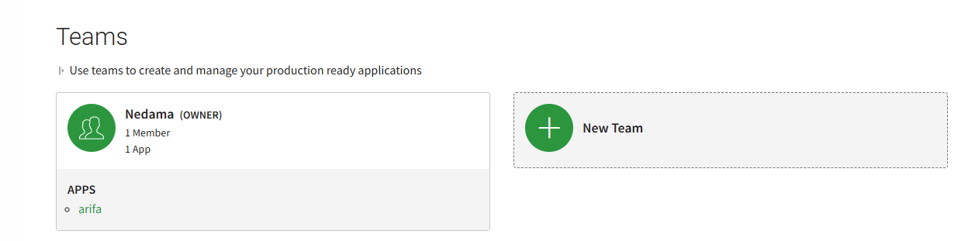
Register at account.africastalking.com with the email address of the company that will own the account, and confirm it. The account starts with one team and a ready-made sandbox app.
For a site that will send real SMS, open the account in the name of the company that owns the plant. Its documents, sender ID and balance are then its own. We recommend a separate account, and so a separate API key, for each site. If the plant owner holds the account, they can add the person doing the setup to their team, with an access level that allows it.
The app
An app holds a username, an API key and a balance. To create a live app, open the team, choose Create App, and enter:
- the app's name, which is only a display name;
- the app's username, which is what Arifa needs;
- the country. Kenya sets the currency to KES.
Choose the username with care: changing it later means changing the Arifa profile too. An app cannot be deleted, only disabled.
A new account may have limits on its teams and apps until one of its apps has sent a live SMS.
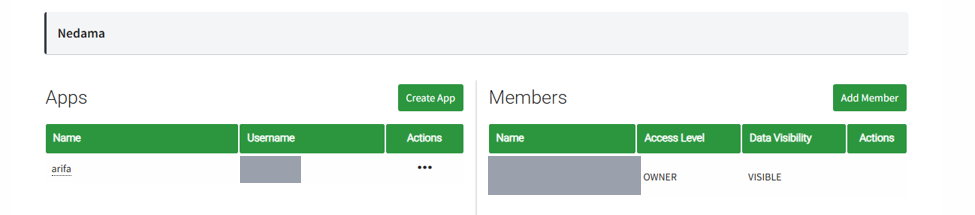
Username, not app name
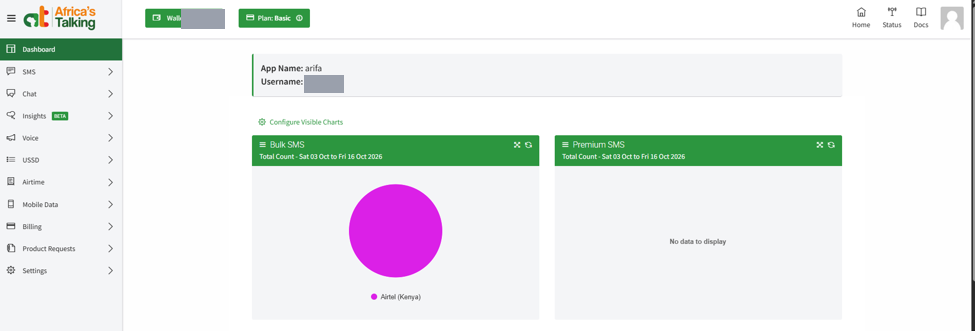
The Arifa profile needs the app's username, not its name. The team's list of apps shows both, in separate columns, and the app's dashboard shows them at the top as App Name and Username.
Sandbox and live
| Sandbox | Live | |
|---|---|---|
| What happens | Messages go to a phone simulator in your browser. Nothing is billed | Messages go to real phones and are billed to the app's balance |
| Username | Always sandbox | The live app's username |
| API key | The sandbox app's key | The live app's key |
| Arifa's Live setting | Off | On |
| Africa's Talking address | api.sandbox.africastalking.com | api.africastalking.com |
With Live off, Arifa uses the username sandbox whatever the profile's Username says. The gateway log line Arifa SMS profile '...' started (Africa's Talking sandbox or ... live shows which one the profile is using.
A sandbox key does not work live, and a live key does not work in the sandbox. Either mix-up gives rejected the credentials (HTTP 401) in the gateway log.
The two dashboards look different: the sandbox app's is orange, and a live app's is green, with the wallet and the plan at the top.
The quick start uses the sandbox from start to finish.
The API key
Open the app, go to Settings > API Key, and generate a key. Wait about 5 minutes before the first test: a new key can take a few minutes to start working.
Treat a live key like a bank card: anyone who holds it can send SMS billed to the account. Keep it in a password manager, and never paste it into a chat, a ticket or a shared file. If a key is exposed, generate a new one, which replaces the old one, and enter it in the Arifa profile.
Sender ID and shortcode
| Sender ID | Shortcode | |
|---|---|---|
| What the operator sees | Your registered sender name | A short number |
| Can the operator reply? | No. A sender ID can only send | Yes. Replies only reach Arifa through a shortcode |
| Arifa's Sender ID setting | The registered sender name | The shortcode |
| Arifa's acknowledgement by reply | Off | On, with the Reply Keyword registered on the shortcode |
With Sender ID left blank, Africa's Talking sends from its default sender. That sender is shared, and says nothing about your plant, so on-call staff may not recognise it.
A sender name must match the company or one of its products, and is at most 11 characters, with no spaces. Africa's Talking asks for the company's registration documents and a signed authorisation letter.
To acknowledge alarms by reply, Arifa sends from a shortcode and reads the replies sent to it. The usual choice is a keyword on a shared shortcode, entered as Arifa's Reply Keyword. See Acknowledge by reply.
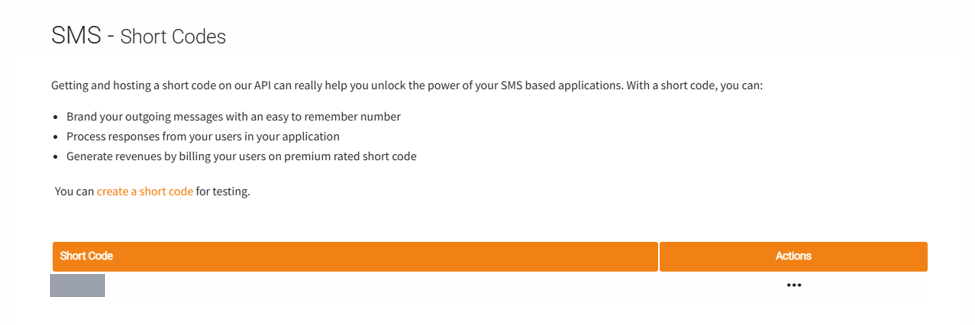
In the sandbox, you can create a test shortcode yourself, under SMS > Short Codes.
Leave SMS > SMS Callback URLs > Incoming Messages empty. Arifa reads replies by asking Africa's Talking for them, so the gateway never has to be reachable from the internet.
Balance and prices
Live SMS are paid for from the app's balance. Top it up from the app's dashboard, by M-Pesa or card.
For SMS, sender ID and shortcode prices, see Africa's Talking's pricing page (link checked on 16 October 2026). Confirm prices and lead times with Africa's Talking in writing before you pay.
Done when: you have the username and API key of the app you will use, sandbox or live, and the sender ID or shortcode to send from.