Connect to an alarm
Arifa sends an SMS when an alarm pipeline's Notification block uses an Arifa profile. This page connects one, from the user's phone number to the alarm. You need a working profile first.
1. Give each on-call user an SMS number
- In the gateway, open the user source and edit the user. On Ignition 8.3, user sources are under Platform > Security > User Sources, at
<gateway address>/app/platform/security/user-sources. - Under Contact Info, choose Add Contact Info, set the type to SMS, and enter the mobile number, written as
07...,01...or+254.... - Save the user.
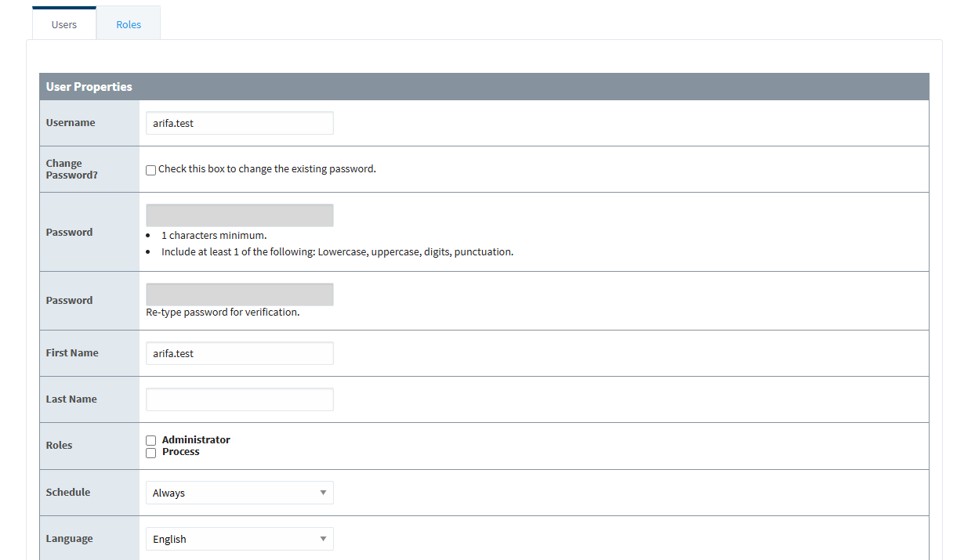

Ignition skips a user with no SMS contact, with no error and no Arifa log line. Check that everyone on the roster has one.
A user can have more than one SMS contact. Each number gets the alarm SMS, and a reply from any of them acknowledges the alarm.
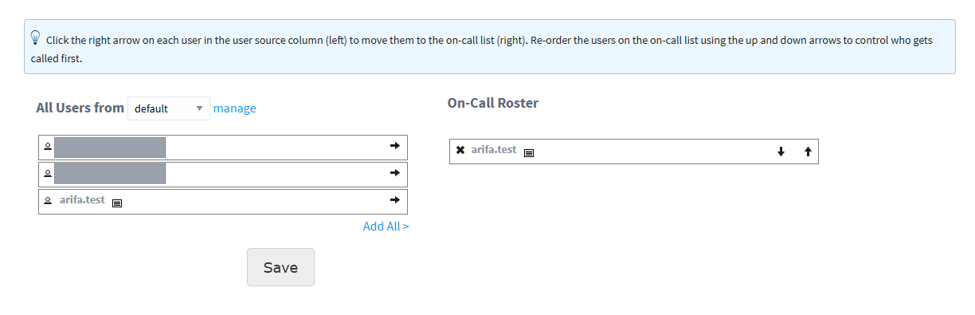
2. Put the users on an on-call roster
On Ignition 8.1, go to Config > Alarming > On-Call Rosters. On Ignition 8.3, go to Services > Alarming > Rosters, at <gateway address>/app/services/alarming/rosters. Create a roster, and move the users onto it.
3. Add a Notification block to the pipeline
In the Designer, open your alarm pipeline and add a Notification block. In its properties:
- choose the Arifa SMS profile you created;
- choose your on-call roster;
- set Test Mode to Yes for the first test.
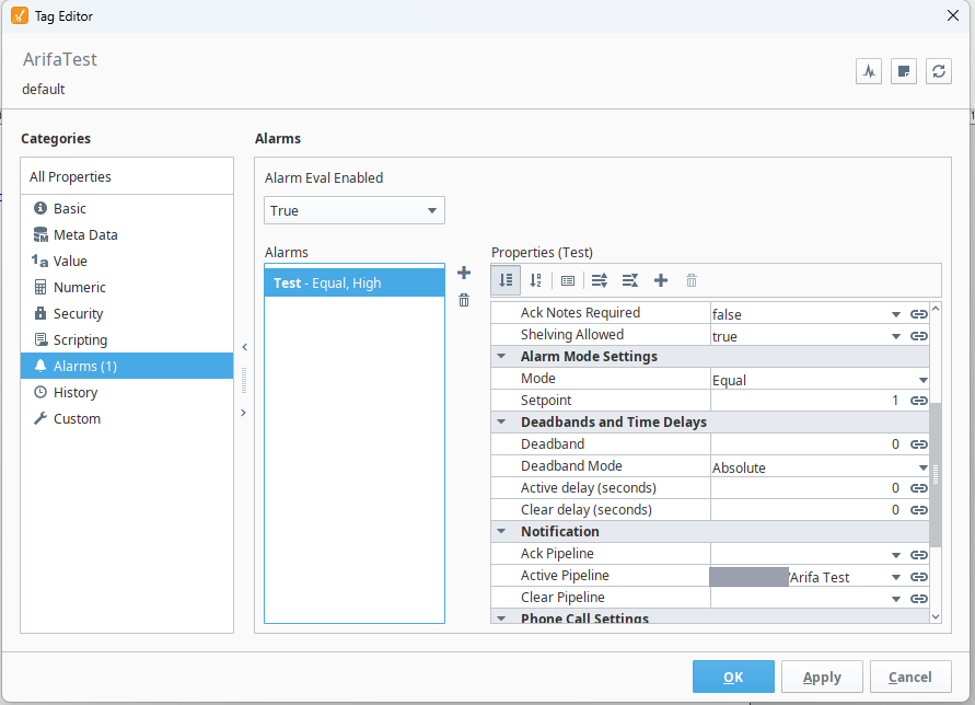
4. Point the alarm at the pipeline
In the Tag Editor, open the alarm on the tag, and under Notification set Active Pipeline to your pipeline.
The message
These properties are on the pipeline's Notification block:
| Property | What it does |
|---|---|
| Message | The alarm text, as an expression. The default is {eventTime|HH:mm:ss} {name}: {eventState} ({displayPath}) |
| Throttled Message | Used instead of Message when several alarms are sent together in one SMS. The default is {alarmEvents.Count} alarm events have occurred. |
| Test Mode | Yes logs what would be sent and sends nothing. No sends for real |
Arifa cleans the text to the GSM alphabet, the characters an ordinary SMS can carry, and cuts it to at most 2 SMS. When acknowledgement by reply is on, the line Reply NEDAMA 4821 to ack is always kept whole, and the alarm text is shortened to make room for it.
Do not put anything in an alarm message that you would not want a carrier to see. SMS is not encrypted end to end.
Test Mode
With Test Mode set to Yes, trigger the alarm. Nothing is sent. The gateway log (on 8.1, Status > Diagnostics > Logs; on 8.3, Diagnostics > Logs, at <gateway address>/app/diagnostics/logs), searched for Arifa, shows a block starting THIS PROFILE IS RUNNING IN TEST MODE, with:
- the user;
- the number, masked, such as
+254712***678, or(no usable SMS number); - the number of SMS parts;
- the message exactly as it would be sent, with
####in place of the reply code.
Test Mode works even when the profile's settings have a problem, so it is a safe first check.
When the block looks right, set Test Mode to No and trigger the alarm again. With Live off, the SMS appears in Africa's Talking's simulator. With Live on, it goes to the real phones.
Consolidation and the throttled message
An alarm that keeps changing state can send many SMS. The Notification block's consolidation settings, Delay and Frequency, collect the alarms that happen close together into one notification.
When one notification holds several alarms, Arifa sends a single SMS using the Throttled Message, for example 3 alarm events have occurred. It carries one reply code, and one reply acknowledges all of the alarms in it.
Arifa also caps the number of SMS per hour, with the profile's Maximum SMS per Hour. See Profile settings.
Done when: with Test Mode set to No, a test alarm arrives by SMS, and the gateway log shows a line starting SMS accepted for 1 recipient.