Profile settings
Arifa is set up in an alarm notification profile on the gateway.
Create the profile
- Ignition 8.1
- Ignition 8.3
Go to Config > Alarming > Notification, choose Create new Alarm Notification Profile, pick Arifa SMS, and choose Next.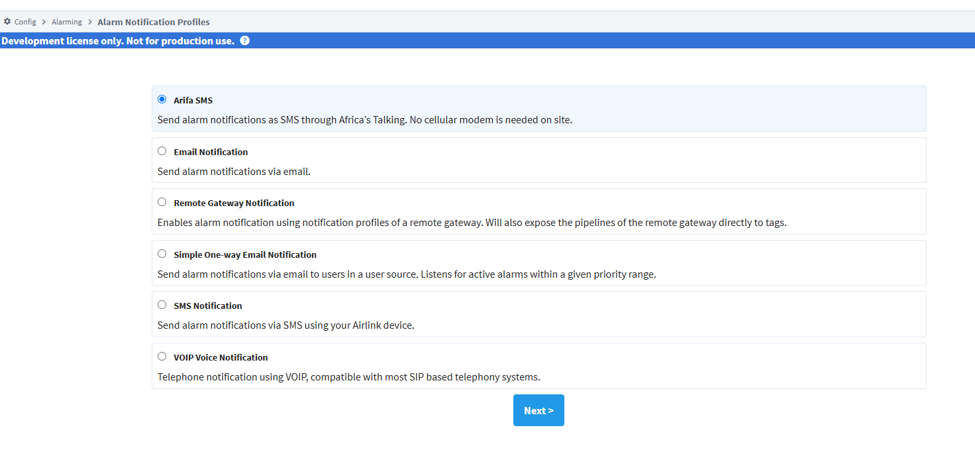
Go to Services > Alarming > Notification, choose Create Profile +, and pick Arifa SMS.
Give the profile a Name, fill in the settings below, and save. A blank setting takes the default shown.
Where to type the API key
- Ignition 8.1
- Ignition 8.3
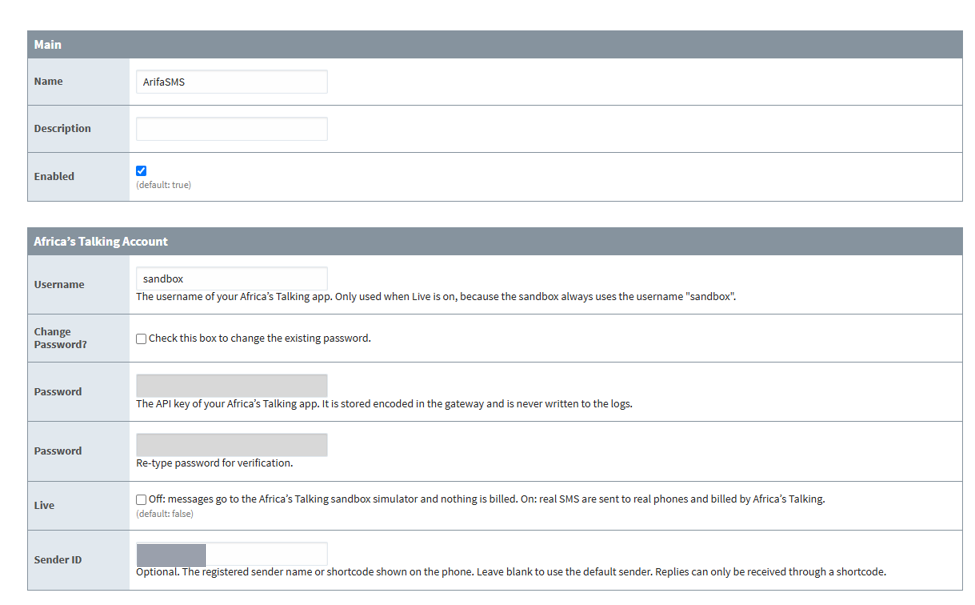
The form has no box called API Key. The key goes into two boxes, both labelled Password: type the key into the first box, and the same key again into the second. That is Ignition's standard password editor, and the module cannot relabel it.
To replace the key on a saved profile, tick Change Password? and type the new key into both boxes.
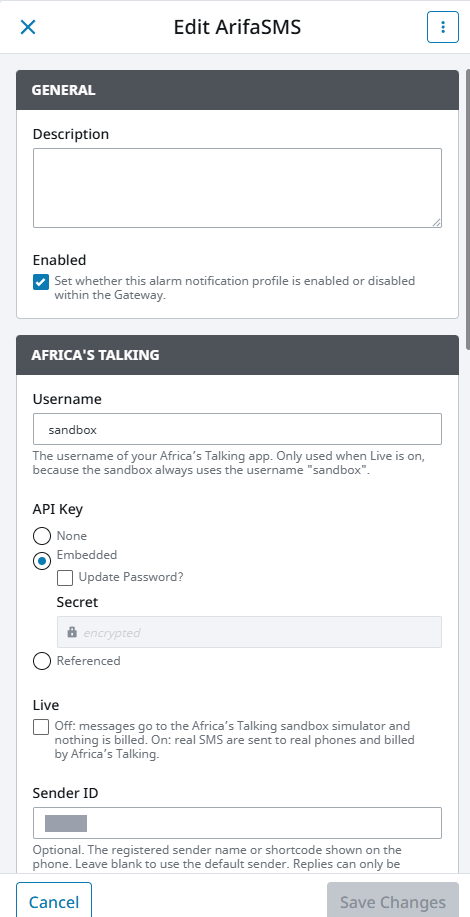
API Key is a secret field with three choices:
| Choice | What it does |
|---|---|
| None | No key. The profile cannot send |
| Embedded | The key is typed on the profile and stored as a secret in the gateway. Choose this, then type the key |
| Referenced | The key is taken from a secret provider. Choose this only if your gateway uses one |
Africa's Talking account
| Setting | Default | What it does |
|---|---|---|
| Username | none | The Africa's Talking app's username, not its display name. Only used when Live is on |
| API Key | none | The app's API key, typed as described above. Never written to the logs |
| Live | off | Off sends to Africa's Talking's free simulator, with the username sandbox and a sandbox key. On sends real SMS, billed to the account |
| Sender ID | blank | The registered sender name, or the shortcode when replies are used. Blank uses Africa's Talking's default sender |
See Africa's Talking setup for where each value comes from.
- Ignition 8.1
- Ignition 8.3
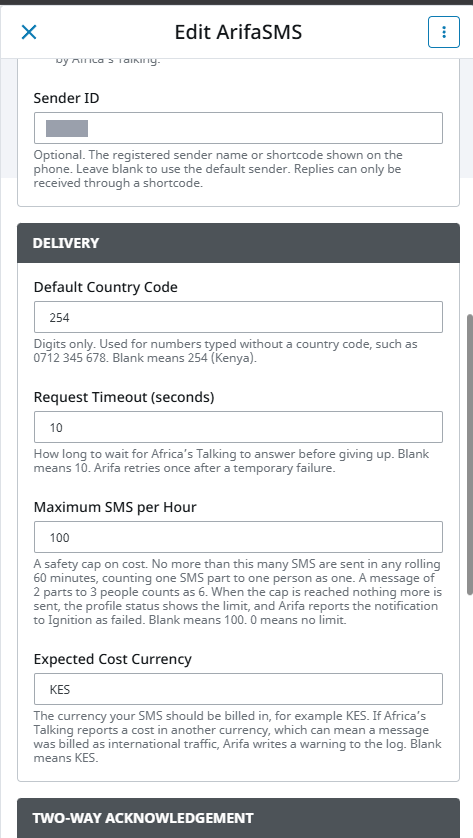
Delivery
| Setting | Default | What it does |
|---|---|---|
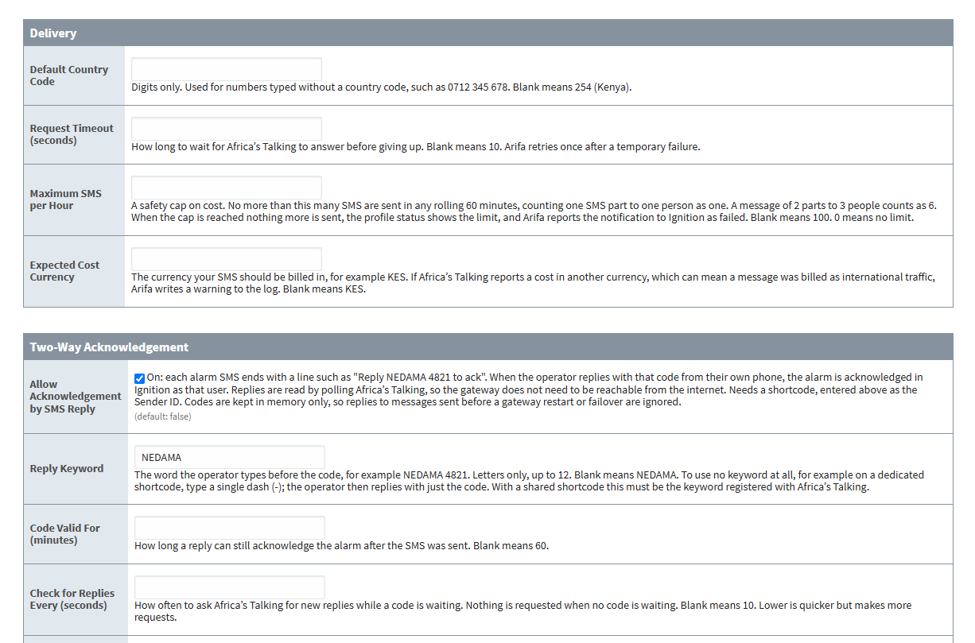
| Default Country Code | 254 | Digits only. Added to numbers written without a country code, such as 0712 345 678. Kenyan numbers are checked to be mobile numbers |
| Request Timeout (seconds) | 10 | How long to wait for Africa's Talking before giving up. One retry follows a temporary failure |
| Maximum SMS per Hour | 100 | A cost cap over any rolling 60 minutes. One SMS part to one person counts as 1, so a 2-part message to 3 people counts as 6. 0 means no limit |
| Expected Cost Currency | KES | If Africa's Talking reports a cost in another currency, Arifa logs a line starting UNEXPECTED COST |
At the cap, nothing more is sent, the profile status shows SMS limit reached, and Arifa reports the notification to Ignition as failed. Saving the profile clears the count. The cap protects the balance, but a cap that is too low can also stop real alarms during a flood, so size it for a bad day.
- Ignition 8.1
- Ignition 8.3
Two-way acknowledgement
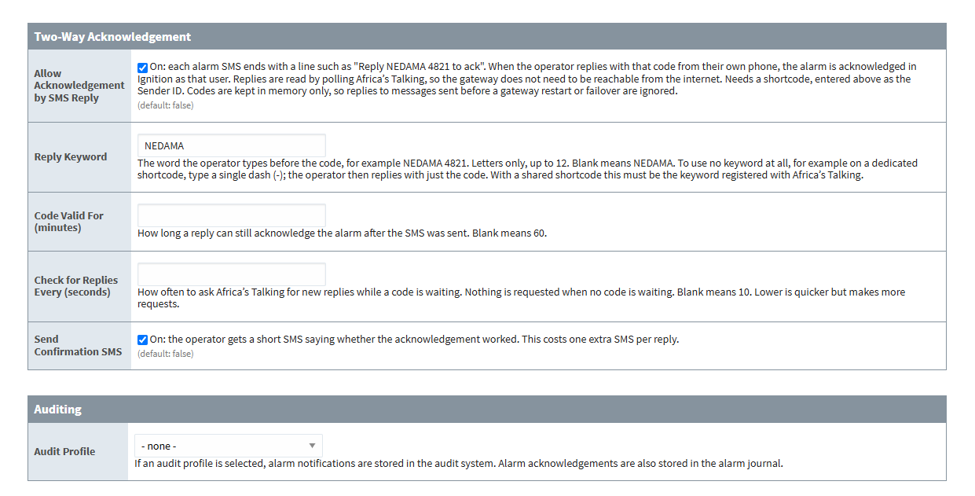
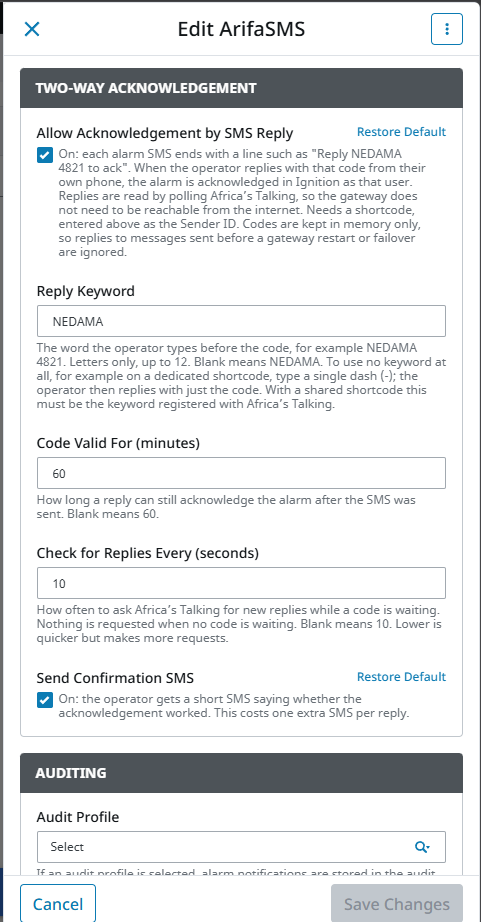
| Setting | Default | What it does |
|---|---|---|
| Allow Acknowledgement by SMS Reply | off | Adds a line such as Reply NEDAMA 4821 to ack to each alarm SMS. Needs a shortcode in Sender ID |
| Reply Keyword | NEDAMA | The word typed before the code. Letters only, up to 12. On a shared shortcode, it must be the keyword registered with Africa's Talking. A single - means no keyword |
| Code Valid For (minutes) | 60 | How long after the SMS a reply can still acknowledge the alarm |
| Check for Replies Every (seconds) | 10 | How often Arifa asks Africa's Talking for replies, only while a code is waiting. At least 3 |
| Send Confirmation SMS | off | Sends the operator a short SMS saying whether the acknowledgement worked. This costs one more SMS per reply |
How replies are checked is described in Acknowledge by reply.
Auditing
| Setting | Default | What it does |
|---|---|---|
| Audit Profile | none | If one is chosen, each notification is written to Ignition's audit system |
- Ignition 8.1
- Ignition 8.3
Where the API key lives
- On Ignition 8.1, the key is stored encoded in the gateway's internal database. On a gateway with Ignition's default settings, the encoding uses Ignition's default key. We recommend that you set a custom encoding key on the gateway.
- On Ignition 8.3, an embedded key is stored as a secret. Ignition's Secrets Management encrypts it when the profile is saved, and keeps it out of the shared gateway configuration. Follow Inductive Automation's Secrets Management documentation to harden the gateway's encryption.
On both, a gateway backup contains the key. Protect backups as you would a file that holds a live key. See Security.
If you restore a backup onto a different gateway, enter the API key again on each Arifa profile, and save. Then check that the profile shows Running.
Done when: the profile's status on the notification profiles page (Config > Alarming > Notification on 8.1, Services > Alarming > Notification on 8.3) reads Running, and the gateway log line Arifa SMS profile '...' started names the environment, sandbox or live, that your key belongs to.